Last Updated: September 10, 2026
Table of Contents
Introduction
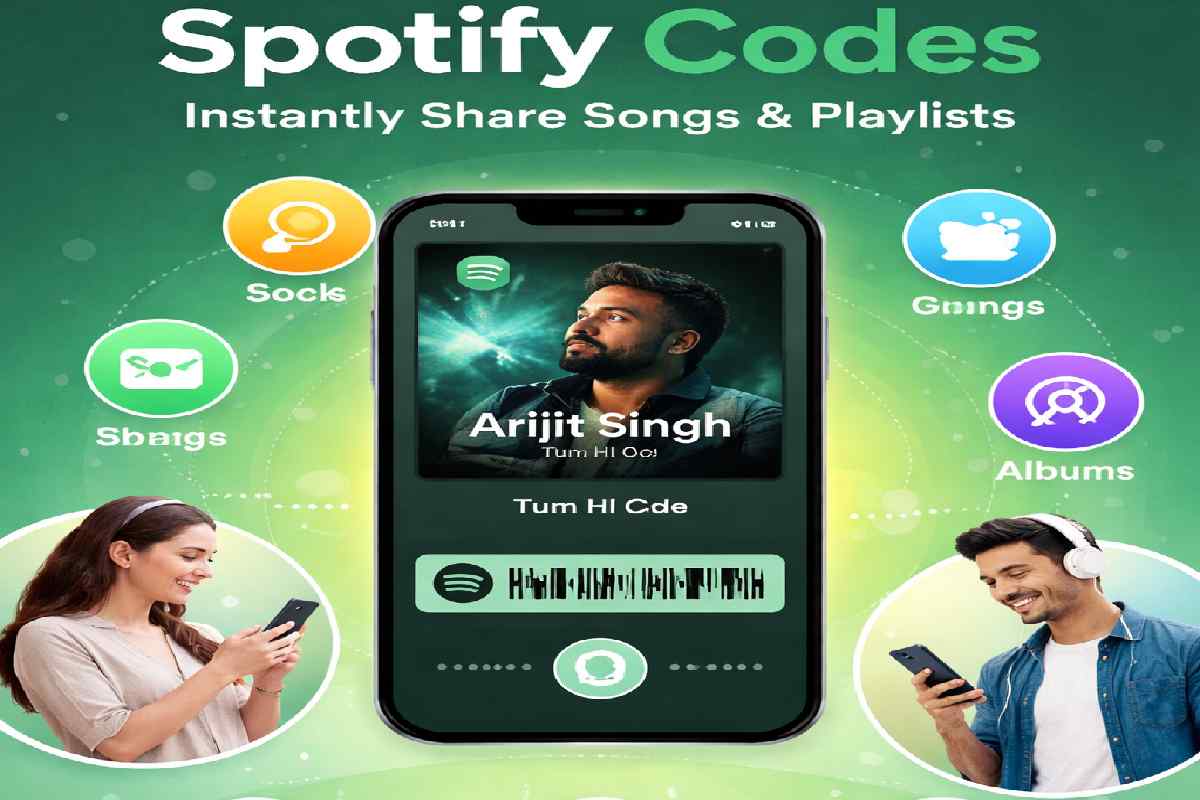
In today’s digital world, sharing music has become easier than ever, thanks to platforms like Spotify. One of its most innovative features is Spotify Codes—a simple yet powerful way to instantly share songs, playlists, albums, and even artist profiles with just a scan.
Instead of copying links or typing long URLs, Spotify Codes allow users to connect through music visually. Whether you’re sharing your favorite playlist with friends or promoting your music as an artist, Spotify Codes make the process seamless and engaging.
This article belongs to the Digital Platforms & Apps.
What Are Spotify Codes?
Spotify Codes are unique, scannable QR-like codes generated within the Spotify app. Each code represents a specific piece of content on Spotify, such as:
- Songs
- Albums
- Playlists
- Artist profiles
- Podcasts
When scanned using the Spotify app, the code instantly opens the linked content.
Spotify Codes Overview
| Feature | Details |
|---|---|
| Type | Scannable visual code |
| Works On | Mobile devices |
| Content Types | Songs, playlists, albums, podcasts |
| Sharing Method | Scan via Spotify app |
| Accessibility | Free for all users |
How Do Spotify Codes Work?
Spotify Codes function similarly to QR codes but are integrated directly into the Spotify app. Each code contains encoded data that directs users to specific content.
Steps to Use Spotify Codes
- Open Spotify
- Find a song, playlist, or album
- Tap the three-dot menu
- Locate the Spotify Code under the artwork
- Scan using the search camera feature
How to Scan a Spotify Code
| StepAction | |
|---|---|
| 1 | Open Spotify app |
| 2 | Go to Search |
| 3 | Tap camera icon |
| 4 | Scan the code |
| 5 | Instantly access content |
Benefits of Spotify Codes
Spotify Codes offer several advantages over traditional sharing methods:
Key Benefits
| Benefit | Description |
|---|---|
| Instant Access | No typing or searching needed |
| Easy Sharing | Share visually in seconds |
| Social Engagement | Great for social media and events |
| Marketing Tool | Useful for artists and brands |
| Offline Sharing | Can be printed on posters or merchandise |
Types of Content You Can Share
Spotify Codes are versatile and can be used for multiple types of content.
| Content | Example Use |
|---|---|
| Songs | Share favorite tracks |
| Albums | Promote new releases |
| Playlists | Curate mood-based lists |
| Artists | Increase follower base |
| Podcasts | Share episodes |
Spotify also offers different ways to discover and enjoy audio content beyond music. Users interested in exploring spoken-audio content can learn more about Spotify Podcasts and how they fit into the wider Spotify experience.
How to Create Spotify Codes
Creating a Spotify Code is simple and doesn’t require any special tools.
Steps to Generate a Code
- Open Spotify
- Select any content
- Tap the three-dot icon
- Screenshot or share the code
- Use it digitally or print it
Spotify Codes for Artists and Businesses
Spotify Codes are not just for casual users—they are powerful tools for branding and promotion.
Use Cases
| Industry | Application |
|---|---|
| Music Artists | Promote songs and albums |
| Businesses | Enhance customer experience |
| Events | Share playlists or themes |
| Influencers | Engage followers |
Creative Ways to Use Spotify Codes
Spotify Codes can be used in innovative and fun ways beyond simple sharing.
Ideas
- Print on T-shirts or merchandise
- Add to event posters
- Include in business cards
- Share on Instagram stories
- Use in classroom presentations
These creative uses make Spotify Codes a powerful engagement tool.
Spotify Codes vs QR Codes
While Spotify Codes are similar to QR codes, they are specifically designed for Spotify content.
Comparison Table
| Feature | Spotify Codes | QR Codes |
|---|---|---|
| Platform | Spotify only | Universal |
| Design | Branded waveform style | Standard square |
| Function | Music sharing | General links |
| Scanning App | Spotify app | Any QR scanner |
Limitations of Spotify Codes
Despite their advantages, Spotify Codes do have some limitations:
- Only work within Spotify
- Require the app to scan
- Not customizable like QR codes
- Limited to Spotify content
Best Practices for Using Spotify Codes
To maximize effectiveness, follow these tips:
Tips Table
| Tip | Benefit |
|---|---|
| Use high-quality images | Better scanning |
| Place in visible areas | Increased engagement |
| Combine with call-to-action | More clicks |
| Test before sharing | Avoid errors |
Future of Spotify Codes
As music sharing continues to evolve, Spotify Codes are expected to become even more interactive. Future updates may include:
- Custom designs
- Integration with AR (Augmented Reality)
- Advanced analytics for tracking scans
These improvements could make Spotify Codes even more valuable for marketing and user engagement.
Conclusion
Spotify Codes have revolutionized the way we share music. With their simplicity, versatility, and visual appeal, they provide a modern solution for connecting people through music.
Whether you’re a casual listener or a professional artist, Spotify Codes offer an easy and creative way to share your favorite tracks and playlists instantly. As digital interaction continues to grow, tools like Spotify Codes will play a key role in shaping the future of music sharing.
For readers interested in other digital experiences and emerging online technologies, exploring the Metaverse can provide another perspective on how people interact with digital platforms.
Similarly, online platforms continue to expand beyond entertainment, with services and tools covering a wide range of digital activities, including betting apps.
FAQs
1. Are Spotify Codes free to use?
Yes, Spotify Codes are completely free for all users of Spotify.
2. Can I create a Spotify Code for any song?
Yes, you can create a code for any available content on Spotify.
3. Do Spotify Codes work offline?
You can display them offline, but scanning requires an internet connection.
4. Can I customize Spotify Codes?
Currently, customization options are limited.
5. Are Spotify Codes safe?
Yes, they are secure and only link to Spotify content.