Last Updated: October 14, 2026
Table of Contents
Internet Fax
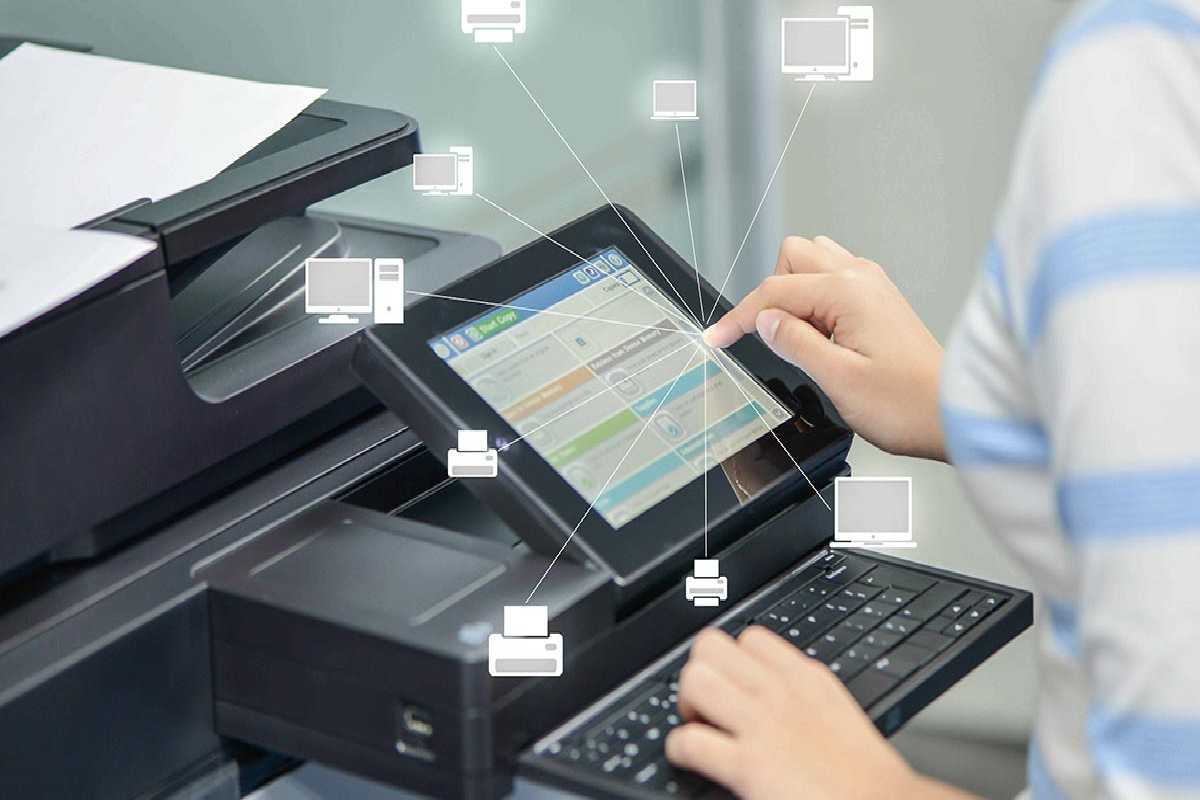
Internet Fax is a system that allows you to send faxes over the Internet without spending money on traditional long-distance fax calls. Conventionally, fax transmission is similar to a phone call in that a number has to be dialed. The difference between a fax and a phone call is that a fax transmits data electronically, while a phone call transmits voice. However, you still dial a number when you send a traditional fax.
If you are doing long-distance dialing, you pay the associated costs. Internet fax changes this by allowing documents to be transmitted through an Internet connection, reducing or eliminating traditional long-distance fax charges depending on the service.
Internet fax sends fax data using an Internet connection rather than relying entirely on conventional telephone lines. Even if you have a dial-up modem connection to access the network, you generally pay for Internet access rather than a separate long-distance fax call. Modern online fax services may charge subscription or usage fees, so the actual cost depends on the provider and plan.
This article belongs to the Cloud & IT.
What Is Internet Fax?
It does not matter how many pages you send through Fax over Internet Protocol (FoIP) or how large the files are; the cost depends on the service you use. Some providers offer free options, while others charge for subscriptions, additional pages, or particular features. Technically, Internet fax also differs from traditional fax transmission.
Traditional fax machines convert data on a sheet of paper into signals for transmission over the telephone network. FoIP divides fax data into packets that can be transmitted digitally over IP networks. This is another example of digital technology replacing older analogue communication methods.
Another benefit of this technology is that it can make fax communication more efficient and easier to integrate with digital workflows. Online fax services allow users to send and receive documents from computers, tablets, and smartphones without always needing a physical fax machine. These services can also integrate with a computing platform or other business software to help organizations manage documents and communication more conveniently.
Many online services offer Internet fax as a standalone product or as part of a package of office applications designed for companies and businesses.
The technology behind sending faxes over the Internet is closely related to Voice over Internet Protocol (VoIP). Both technologies transmit information using Internet Protocol networks, although they handle different types of communication. Some providers offer VoIP and Internet fax services together, allowing businesses to manage several communication needs through one service.
What Is Fax over IP?
Fax over Internet Protocol, commonly known as FoIP, enables fax transmissions to travel over IP-based networks. It can help businesses reduce their dependence on traditional telephone lines and physical fax machines while making document exchange easier to manage.
The Advantages of IP Voice
Business activity still requires sending and receiving faxes daily. In many sectors, fax communication continues to play a role in the operations of small and medium-sized enterprises (SMEs). Implementing a Fax over IP solution makes it possible to send faxes through an Internet connection rather than relying solely on conventional telephone infrastructure.
FoIP can use the T.38 protocol, which is designed to support fax transmission over IP networks. Depending on the setup, the service may require a compatible VoIP gateway, fax machine, fax card, or fax software that supports the necessary protocol.
Furthermore, unlike paper-based workflows, Internet fax services may offer digital security features that help protect documents. With traditional fax machines, sensitive information can sometimes be seen by people other than the intended recipient if pages are left unattended. Online fax solutions may provide account authentication, controlled access, and encryption during transmission or storage. Businesses should check the specific security features offered by their provider because not every service provides the same level of protection.
Organizations that handle confidential information should also establish clear procedures for verifying recipients, managing access permissions, and storing documents securely.
Why Choose Fax over IP?
By choosing an IP-based fax solution, businesses can reduce their reliance on physical fax machines and the associated maintenance requirements.
Companies may save money on equipment servicing, paper, toner, and dedicated telephone lines. However, savings depend on the provider’s pricing, the number of faxes sent, and the organization’s existing communication infrastructure.
Another advantage is flexibility. Many Internet fax services allow users to send, receive, store, and forward faxes digitally. Some services can receive documents even when an employee’s computer is turned off because the provider handles incoming transmissions through its online system.
FoIP can improve productivity by reducing the time employees spend handling paper documents. Instead of printing and scanning every document, workers may be able to attach files directly from their computers or office applications.
Employees can also access supported fax services while travelling or working remotely, provided they have an Internet connection and the necessary account permissions. This flexibility is particularly valuable for businesses with distributed teams.
FoIP or Internet Fax
FoIP is short for Fax over Internet Protocol. In simple terms, it allows fax transmissions to travel over IP networks instead of depending entirely on traditional telephone infrastructure.
Traditionally, fax transmission is similar to a telephone call because a number is dialed. However, a fax transmits document information, while a regular telephone call carries voice communication. With conventional faxing, long-distance calls may incur additional charges.
Internet fax changes the process by using an Internet connection to transmit documents. Instead of paying traditional long-distance fax charges, users generally pay for their Internet connection and any fees charged by their fax service provider. The final cost depends on the selected service, its subscription plan, and any usage limits.
As businesses transfer more digital information, managing data efficiently becomes increasingly important. Extremely large data-capacity units, such as a yottabyte, help illustrate the scale of information that modern digital infrastructure may need to accommodate. A yottabyte equals (10^{24}) bytes in the decimal system. Although ordinary fax documents are much smaller, Internet-based communication is part of the broader shift toward digital information exchange.
FoIP
Technically, FoIP differs from traditional fax transmission. Conventional fax machines convert information on paper into signals for transmission over the public switched telephone network (PSTN). PSTN is sometimes referred to as POTS, which stands for Plain Old Telephone Service.
FoIP transmits fax information using digital packets over IP networks. This approach allows fax services to work with Internet-based communication infrastructure and can make it easier to integrate faxing into modern business systems.
Another benefit of FoIP equipment is that it can use existing network infrastructure instead of requiring a dedicated traditional telephone line for every fax machine. Depending on the setup and service, this can reduce communication costs and simplify administration.
Many providers offer online fax services through websites and dedicated applications. Some include faxing as part of a broader office software package, while others specialize in digital fax transmission. Users should compare page limits, supported file formats, security features, delivery confirmations, and subscription costs before selecting a service.
FoIP is also related to the wider development of Internet-based communication technologies. VoIP services, for example, allow voice calls to travel over IP networks. Businesses may use both technologies to modernize communication and reduce their reliance on older systems.
Mobile devices have also made Internet fax more accessible. Depending on the provider, users can send documents from a smartphone, tablet, or computer without being physically present in an office. This can be helpful for employees who need to exchange documents while travelling or working remotely.
Internet Fax in Modern Business Operations
Internet fax remains useful in organizations that exchange signed forms, business records, invoices, orders, and other documents. Some industries continue to use fax because of established workflows, compatibility requirements, or the preferences of business partners.
Internet fax can also complement mobile device management (MDM) in organizations where employees send or receive business documents using managed smartphones, tablets, and computers. MDM solutions across various industries can help IT administrators configure devices, control access to approved applications, and apply organizational security policies. However, MDM does not automatically secure every fax service; businesses must also assess the security controls of the applications and providers they use.
Before adopting an Internet fax service, organizations should consider the following factors:
- Security: Look for appropriate encryption, authentication, and access-control features.
- Compatibility: Confirm that the service supports the organization’s devices, applications, and document formats.
- Costs: Review subscription fees, page limits, and additional charges.
- Reliability: Check service availability, delivery confirmations, and support options.
- Privacy: Understand how the provider stores, processes, and deletes transmitted documents.
When chosen carefully, Internet fax can simplify document exchange, reduce dependence on physical equipment, and support more flexible digital workflows. Its effectiveness depends on selecting a suitable service and using appropriate security practices.